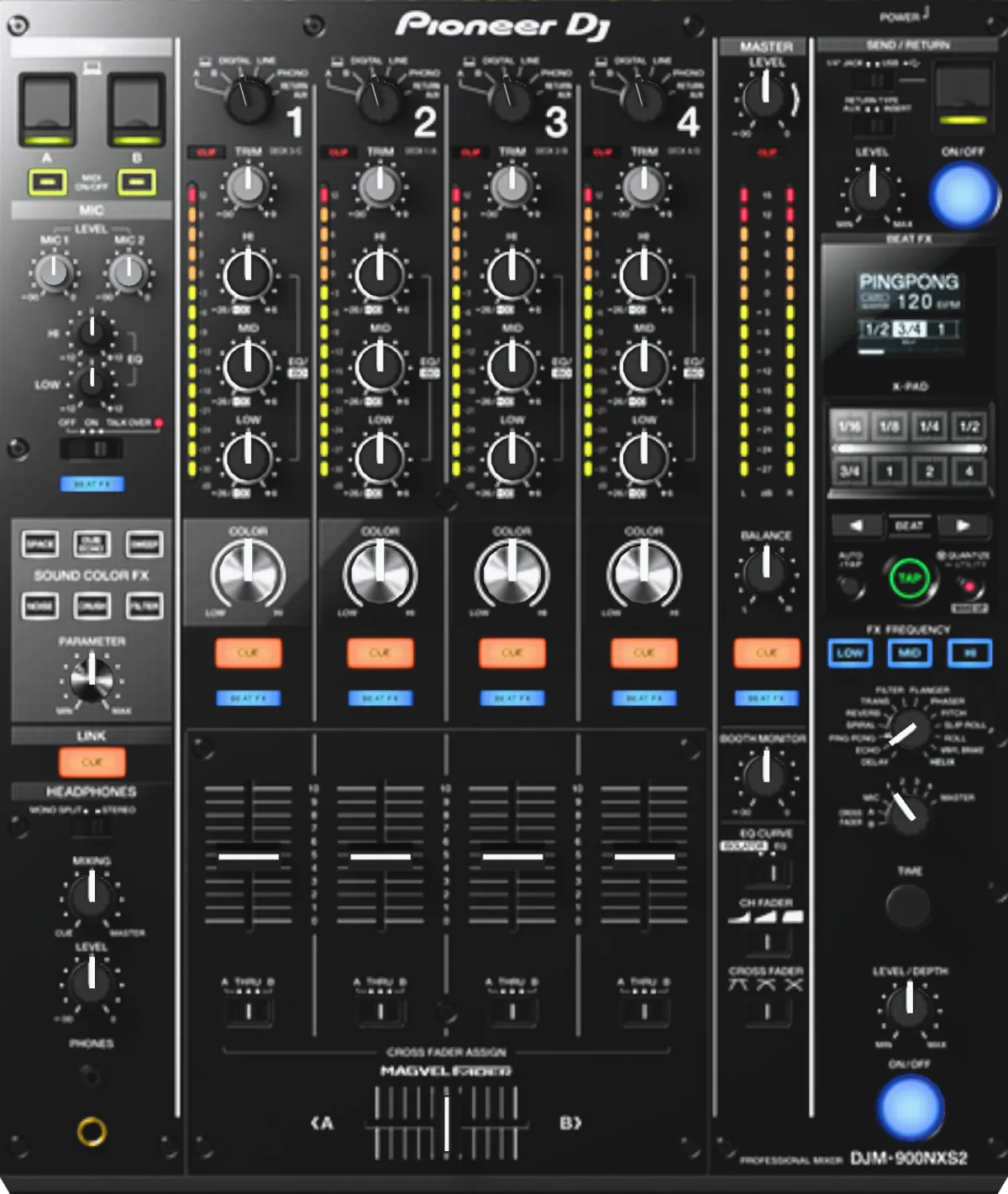
COLORColor FX knob
The Sound Color FX knob on each channel: in the center the effect is off; turned either way, the selected effect kicks in.
With FILTER: turning left takes out the highs, turning right takes out the lows. A classic for smooth transitions.
Mentor tip: Don't forget to return the knob to center after the effect.
SOUND COLOR FX (SPACE / DUB ECHO / SWEEP / NOISE / CRUSH / FILTER)Color FX select
Six buttons pick the effect for the COLOR knobs on all channels. The selected button flashes; pressing it again turns the effect off.
To start, keep FILTER selected — it's the most useful one for transitions.
Mentor tip: SPACE and DUB ECHO work well on a track's exit, NOISE for a build-up.
PARAMETERColor FX parameter
An extra setting for the selected Sound Color FX (for example, filter resonance or echo feedback).
Found the sound with COLOR? Fine-tune the character with PARAMETER.
Mentor tip: Less is more: subtle settings sound more polished.
BEAT FX (selector)Beat FX select
The selector picks one of 14 beat-synced effects: DELAY, ECHO, PING PONG, SPIRAL, REVERB, TRANS, FILTER, FLANGER, PHASER, PITCH, SLIP ROLL, ROLL, VINYL BRAKE, HELIX.
The basic set: ECHO for an exit, REVERB for a breakdown, ROLL before a drop.
Mentor tip: VINYL BRAKE stops a track with style — but only at the end of a set or for a deliberate stop.
FX channel selector (1–4 / MIC / CROSS FADER A, B / MASTER)Beat FX channel
A rotary selector: the effect goes to channel 1–4, the mic, crossfader side A or B, or the master.
Put the effect on the outgoing track's channel, not on the master.
Mentor tip: Check the BEAT FX indicator on the channel before turning it on.
BEAT ◀ ▶Effect beat length
Set the effect length in beats; the time is calculated automatically from the BPM.
ECHO at 1 beat or 3/4 is the classic exit from a track.
Mentor tip: Don't know what to pick? Set 1 beat.
TIME / LEVEL/DEPTHEffect time and depth
TIME changes the effect time manually; LEVEL/DEPTH sets how much of the effect is in the sound.
Turn the effect on with low depth and add more as the phrase goes on.
Mentor tip: A sudden effect at full depth startles the room — smoothness is everything.
ON/OFF (BEAT FX)Beat FX on/off
Turns Beat FX on and off; the button flashes while the effect is working.
Turn it on at the start of a bar and off at the start of a new phrase.
Mentor tip: With QUANTIZE, the effect lands on the beat even if your press is a bit off.
X-PADEffect touch strip
While you touch it, the effect works; moving your finger changes the time or parameter. Let go and it turns off.
Short fills: touch it on the last bar of the phrase and let go on the drop.
Mentor tip: To keep the effect on after you let go, press ON/OFF while touching the strip.
FX FREQUENCY (HI, MID, LOW)Effect frequency bands
Chooses the bands the Beat FX affects. A lit button means that band is processed.
Turn off LOW and the echo won't muddy the bass.
Mentor tip: An effect on the highs only is the safest option for a beginner.
AUTO/TAP / TAPBPM for effects
AUTO: the mixer measures the BPM itself (70–180). TAP: you set the BPM by tapping the TAP button in rhythm.
BPM flashing on the screen? Switch to TAP and tap along on every beat.
Mentor tip: With CDJs on LINK and QUANTIZE on, the rhythm comes from the rekordbox grid — more accurate than any TAP.
QUANTIZE (UTILITY, WAKE UP)Effect quantize and menu
Turns on QUANTIZE for Beat FX (using the rekordbox track grid over LINK). Hold to open the UTILITY menu; the button also wakes the mixer from standby.
Playing with CDJs over LINK? Keep QUANTIZE on.
Mentor tip: QUANTIZE flashing on the screen means the mixer isn't getting the grid from the player.
SEND/RETURN (1/4” JACK / USB) / RETURN TYPE (AUX, INSERT) / ON/OFF / LEVELExternal effects
Connects an external effects processor (SEND/RETURN jacks on the back) or a phone with an FX app (USB port on top). INSERT replaces the channel's sound; AUX returns the effect to a channel whose selector is set to RETURN AUX.
Choose the source, the return type and the channel (FX channel selector), switch ON/OFF on, and set the level with the LEVEL knob.
Mentor tip: This is an advanced topic: master the built-in Beat FX first.